
Case study · Client work · United Kingdom

From a five-minute voice note to a week of on-brand posts.

Opti_vise is a small-business consultancy in London and Tunbridge Wells. Its founder, Antonella Argentino, was creating every post by hand. We built her a phone app that turns what she says in a few minutes into a week of posts she approves in a tap.

Client
Opti_vise, UK
Built
October 2026, in public
Stack
React · Cloudflare · Supabase · Claude
Status
Delivered and handed over
The Opti_vise Growth App showing four drafts waiting for review.
Antonella Argentino, founder of Opti_vise
Antonella Argentino Founder, Opti_vise · business consultant Read her review ↓
  • 3 days from approved plan to a live app on her phone
  • 30 drafts written from her own voice notes
  • 11 posts published automatically through official APIs
  • 0 passwords stored. Every post needed her approval.

Counted from the live system on 12 November 2026.

In the client's words

“I am very happy with what Shivam created for me, a pilot with the exact features that allow me to save time making content, and we still have plans to upgrade it based on my needs!”

Antonella Argentino Founder, Opti_vise · comment posted 13 Nov 2026 See comments and add yours

A two-week pilot became a working system in three days and a finished handover in three weeks. This is how it was planned, built and tested, what the client asked for, what we changed after her feedback, and what we would do differently.

The client

Antonella Argentino runs Opti_vise, helping small businesses streamline operations, improve efficiency and scale with confidence. She has more than ten years in business consulting and project management, and has mentored business owners on the UK's Help to Grow: Management course.

LinkedIn and Instagram are where she shows that expertise to business owners, so being visible every week matters. The problem was never knowledge. It was time.

The problem

She was already posting several times a week, by hand. Each week meant deciding what to say, writing it differently for LinkedIn, her company page and Instagram, designing slides and scheduling it all. That time came out of client work. Her visuals also looked different on each channel, so the brand didn't feel like one business.

Enquiries and new contacts had no single home, so following up depended on remembering to.

What she asked for

We agreed four outcomes before writing any code:

  1. Content without the hours. Talk about her week for a few minutes and get ready-to-post drafts in her own voice, for each channel.
  2. Her brand, every time. Consistent fonts, colours, logo and website on every visual, without opening a design tool.
  3. Full control. Nothing published without her approval, and no passwords handed to anyone.
  4. One place for leads. Enquiries and people she meets in one list, with a suggested first message she sends herself.

We also wrote down what was out of scope: no automated messages to people, no scraping of profiles, and no website rebuild inside the pilot.

How we worked

The project ran in short, visible steps. She saw something she could react to at every stage, and every change was tested before it reached her phone.
  1. Early Oct Discovery A call and a written brief: how she works, what takes her time, what she wants to grow.
  2. By 7 Oct Plan approved A short plan in plain English: four parts, what is in scope, what is not, and how we would measure it.
  3. 8 Oct Design before code A voice guide written from her own posts, two brand-kit directions and a clickable mock-up she could try.
  4. 10 Oct Live The app went live on Cloudflare and Supabase (London), with tests passing before it was switched on.
  5. 11 Oct Connected Instagram and LinkedIn connected through their official sign-in pages, then a full end-to-end test.
  6. 12 Oct First feedback, same day Flexible posting days per channel, uploads of WhatsApp voice notes, and her logo and website on every slide.
  7. 28 Oct Handover Two-tap sharing that works on phones, Canva editing on every post, a written guide, and a health check.

What we built

The Opti_vise Growth App: a phone-first web app she installs on her home screen. It has five screens and one job: turn her expertise into consistent, on-brand content and conversations.

  • Voice to Post. She records or uploads a voice note, or types. It is transcribed, the audio is deleted, and Claude writes the week's drafts: a LinkedIn post with three opening lines to choose from, a company page post, a five-slide Instagram carousel with caption, and a story.
  • Approve or revise. She edits anything, taps Approve, or asks for changes in plain words and gets a new version.
  • Publishing. Approved posts go out at the days and times she set for each channel, through Instagram's official API and LinkedIn's API for her company page. For channels without automatic posting, a two-tap share sheet prepares the images and text.
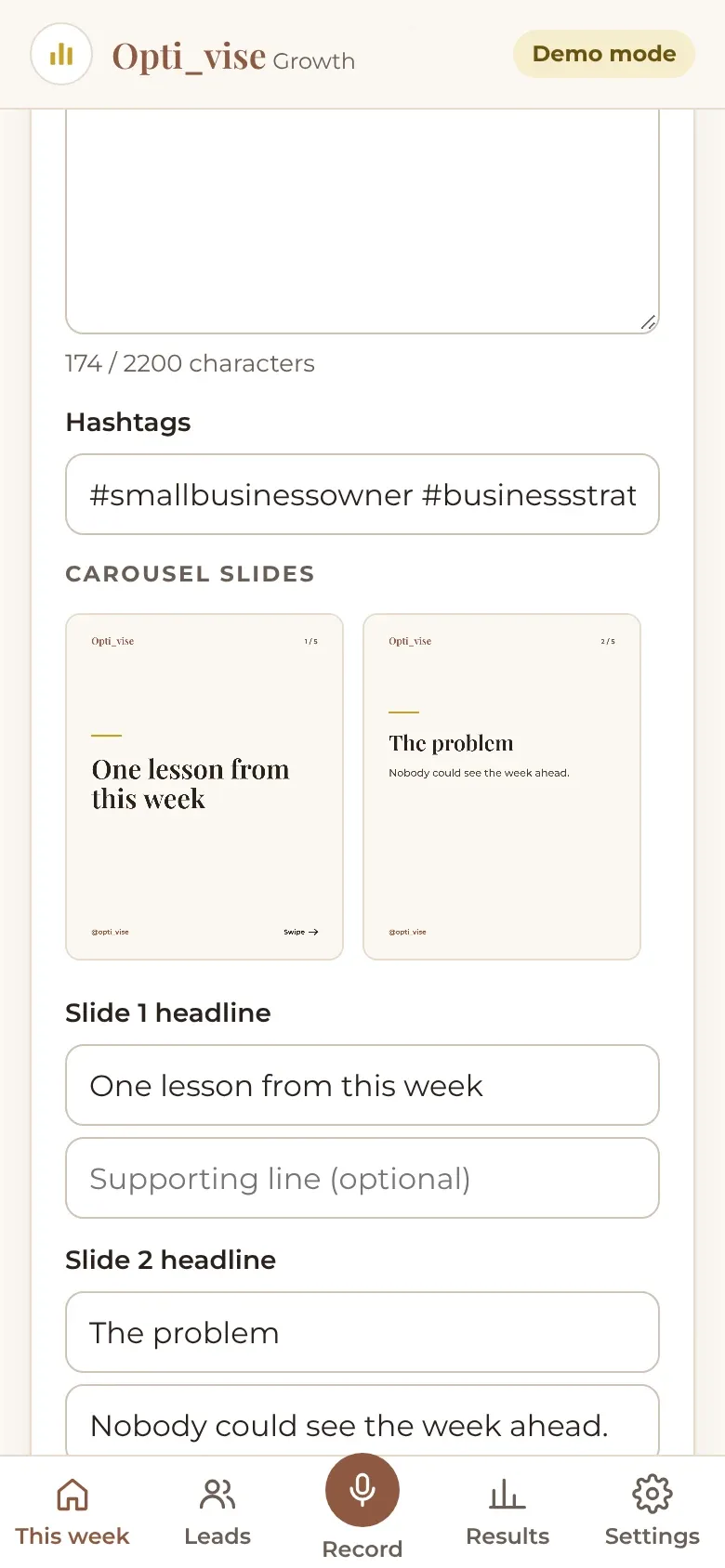
  • Brand kit built in. Carousels are drawn in her colours with her logo and website on every slide, with several slide styles and an "Edit in Canva" export.
  • Leads. A public enquiry form, quick add for people she meets, stages, follow-up dates and suggested messages. Inactive leads are deleted after six months.
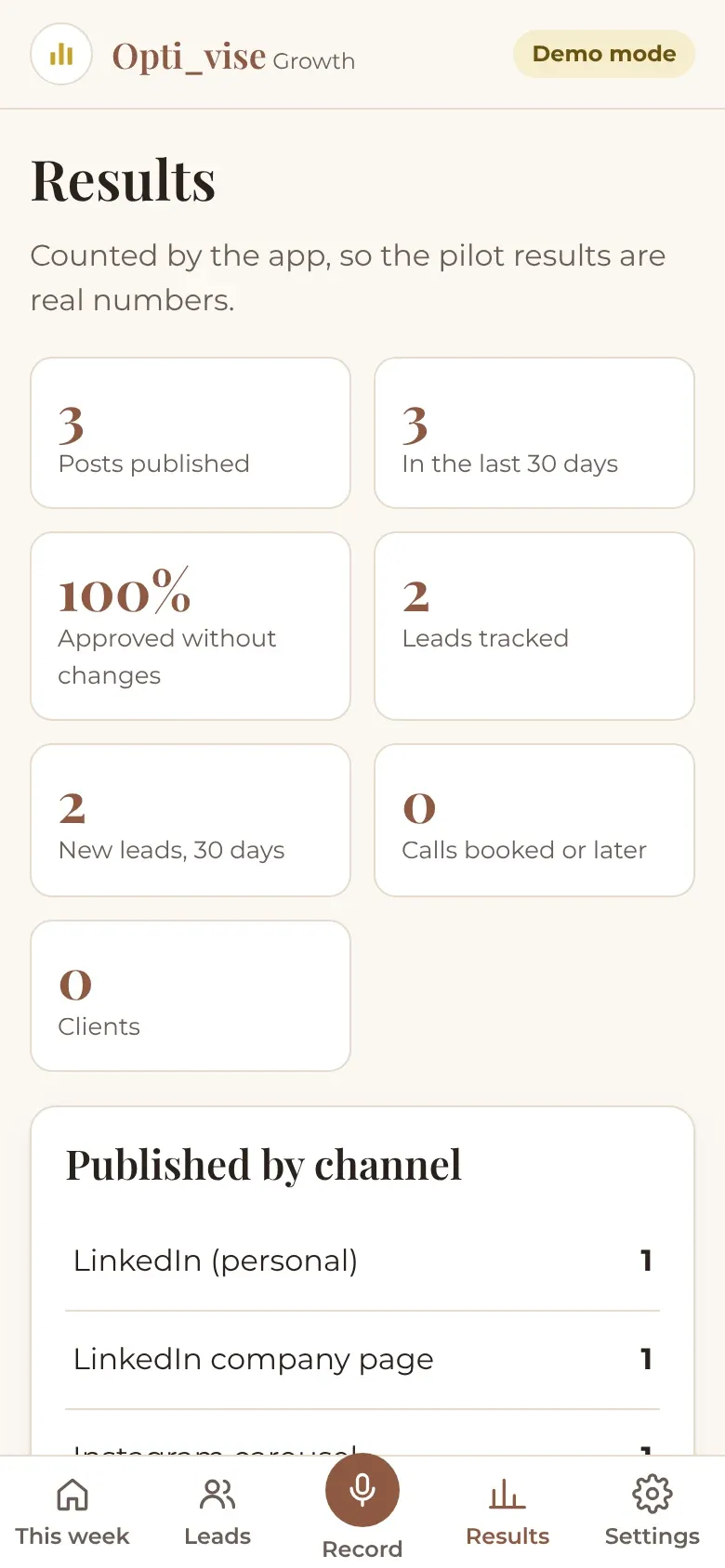
  • Results. Posts published, approval rate and leads by source, counted by the app rather than estimated.

Alongside the app we delivered a written voice guide, a brand kit, and a preview of recommended website improvements.

Architecture

How it fits together

  1. 01 · On her phone

    Growth App

    React + Vite, installable on the home screen. Record, approve, leads, results.

    Public enquiry form

    A link she shares anywhere. Spam checks and rate limits built in.

  2. 02 · Server

    Cloudflare Pages Functions

    Checks who is signed in, turns notes into drafts, publishes approved posts and handles sign-in to Instagram and LinkedIn. API keys live here, never in the browser.

    Scheduler

    Every 10 minutes: publish what's due. Mondays: a summary. Nightly: clean-up.

  3. 03 · Data

    Supabase, London region

    Postgres with row-level security on every table, sign-in, private file storage and encrypted social tokens (AES-GCM).

  4. 04 · Services

    OpenAI speech-to-text

    Voice note → text. The recording is then deleted.

    Anthropic Claude

    Writes the drafts as structured output, checked before it's saved.

    Instagram & LinkedIn APIs

    Official sign-in and publishing. No passwords, no scraping.

Data flows left to right; nothing reaches Instagram or LinkedIn until she approves it.

How the AI writes

Good AI content comes from good inputs and firm rules, not from a clever prompt alone. We designed the drafting in four layers:

  1. Her voice, written down. Before any code, we studied her LinkedIn posts, Instagram captions and website and wrote a voice guide: tone, phrases she uses, words she avoids, UK spelling. The model reads it on every request.
  2. Only her facts. The model may use only what she said in that week's note. It is told never to invent results, numbers or client names.
  3. Structured output. Claude returns the drafts through a defined tool schema: each channel, three hooks, slide headlines and text, hashtags. The server checks lengths and fields before anything is saved, so a malformed answer never reaches her screen.
  4. A person in the loop. Every draft is a proposal. Her edits and approvals are the final word, and revisions use her own instructions.

Speech-to-text is handled by OpenAI's transcription model; writing by Anthropic's Claude. Without API keys the app runs in a full demo mode with sample text, which is how the screens on this page were captured.

Safety and privacy

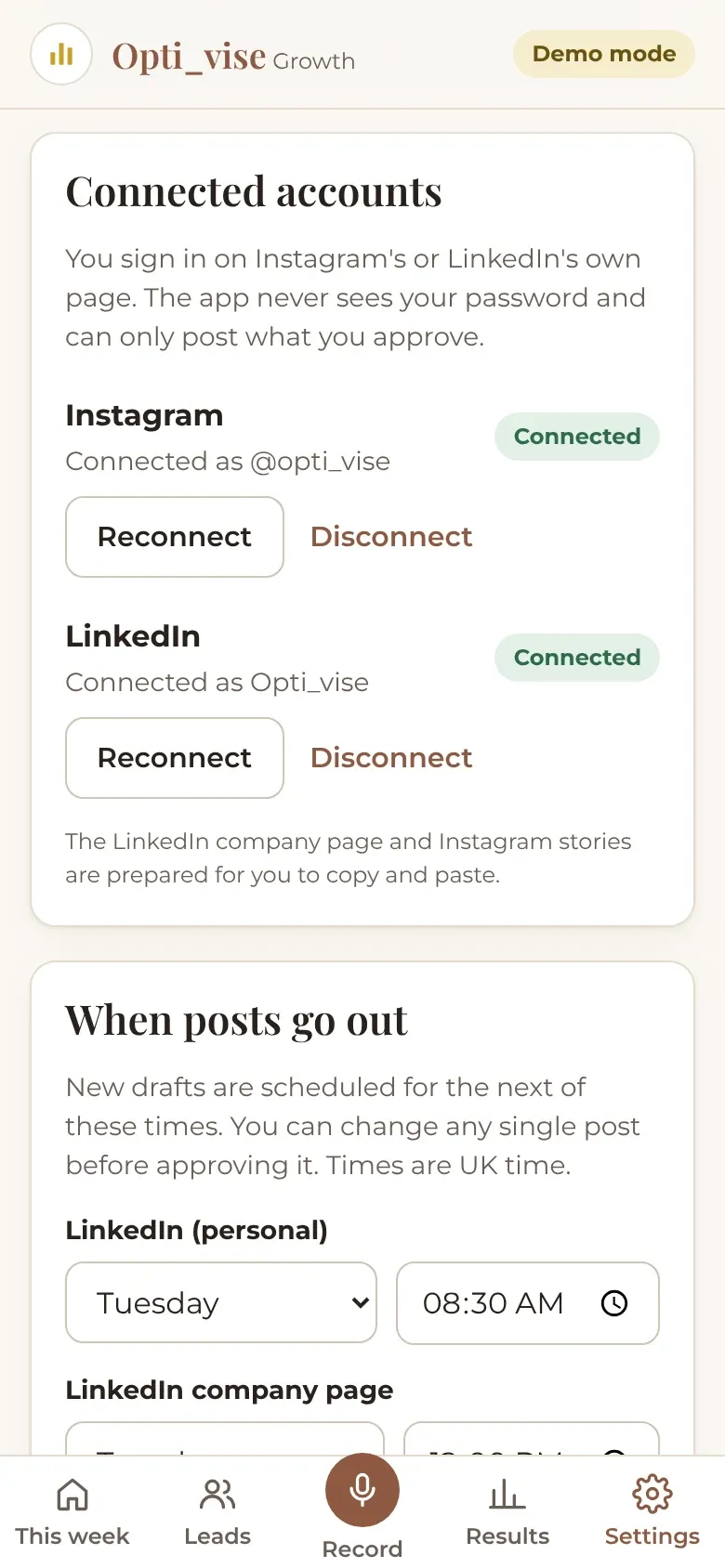
  • Instagram and LinkedIn are connected through their own sign-in pages. Access tokens are encrypted (AES-GCM) and never sent to the browser.
  • Row-level security on every table: only her account can read her data, and server-only fields can't be changed from the app.
  • Voice recordings are deleted after transcription. Leads with no activity are deleted after six months.
  • Posts can't be published twice, and approved posts can't be edited by accident.
  • Before handover: 77 automated unit and server tests, database security tests on real Postgres, and full browser tests of every screen.

App tour

Click through the app, one step at a time.

Thirteen real screens from the app's demo mode. Pick a step: the highlight and arrow move to the exact part of the screen being described. All names and leads are fictional sample data.

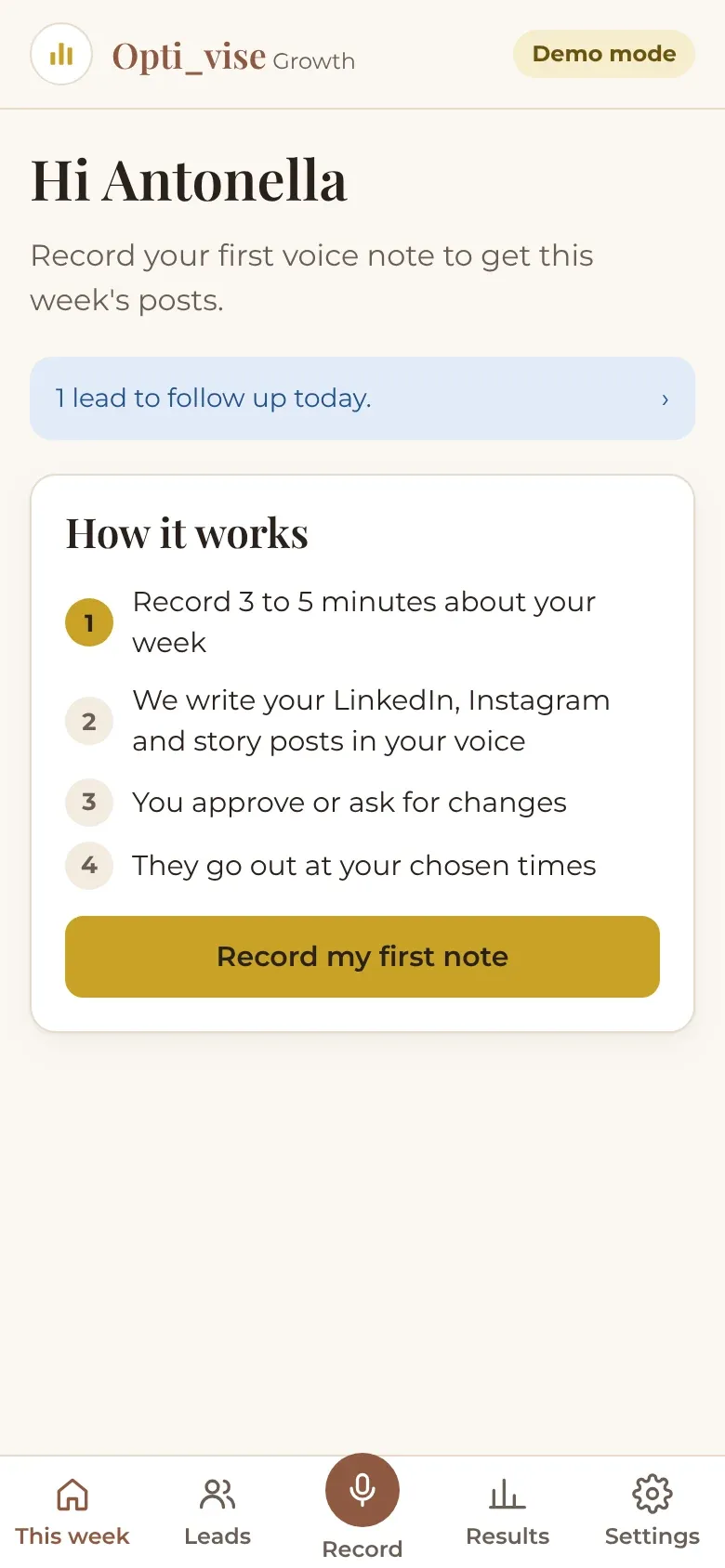
Home screen: greeting, one lead to follow up today, a four-step explainer and a gold Record my first note button.
01 · Create One clear next step The home screen tells her exactly what to do this week, and which leads need a follow-up today.
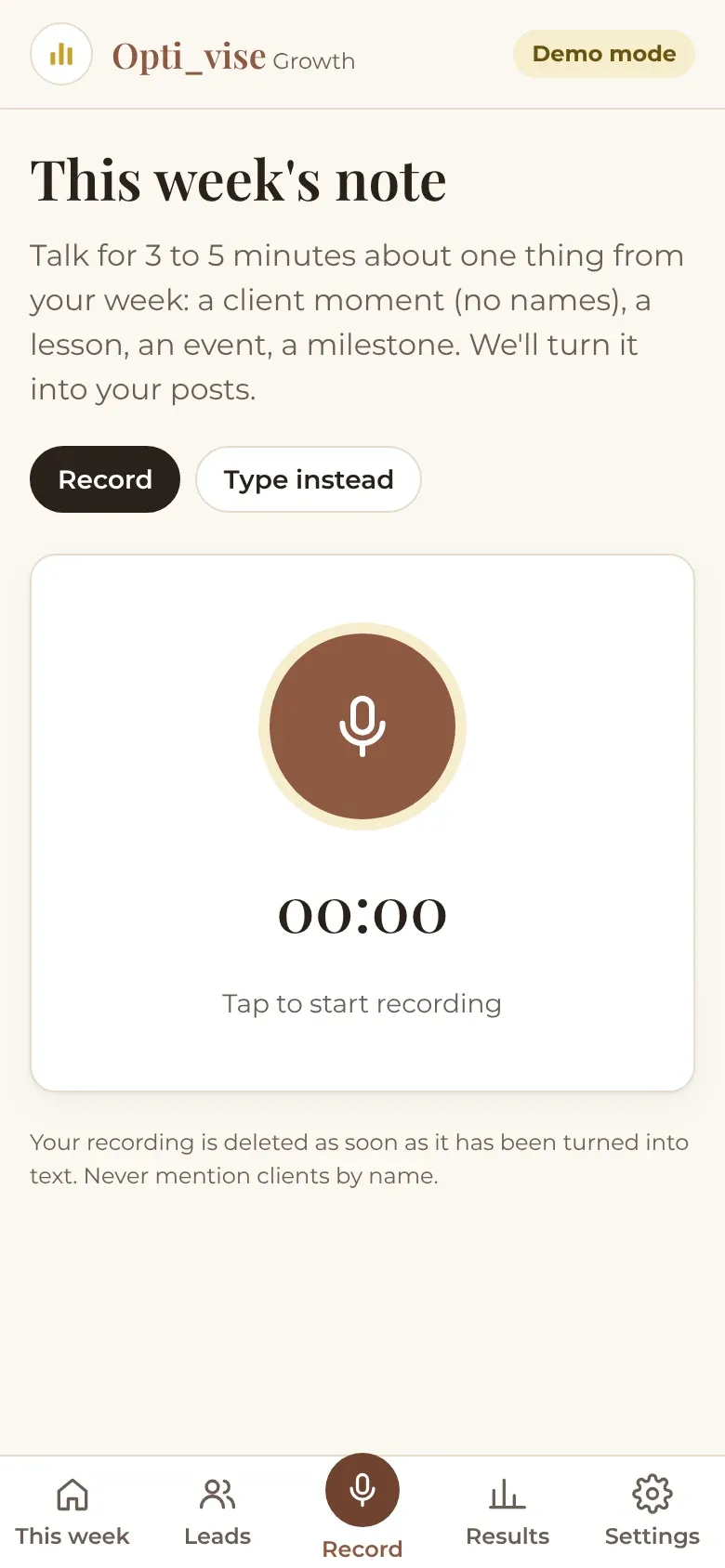
Record screen with Record and Type instead options and a large microphone button.
02 · Create Talk for five minutes She records a short voice note about her week, uploads one from WhatsApp, or types. The recording is deleted once it has been turned into text.
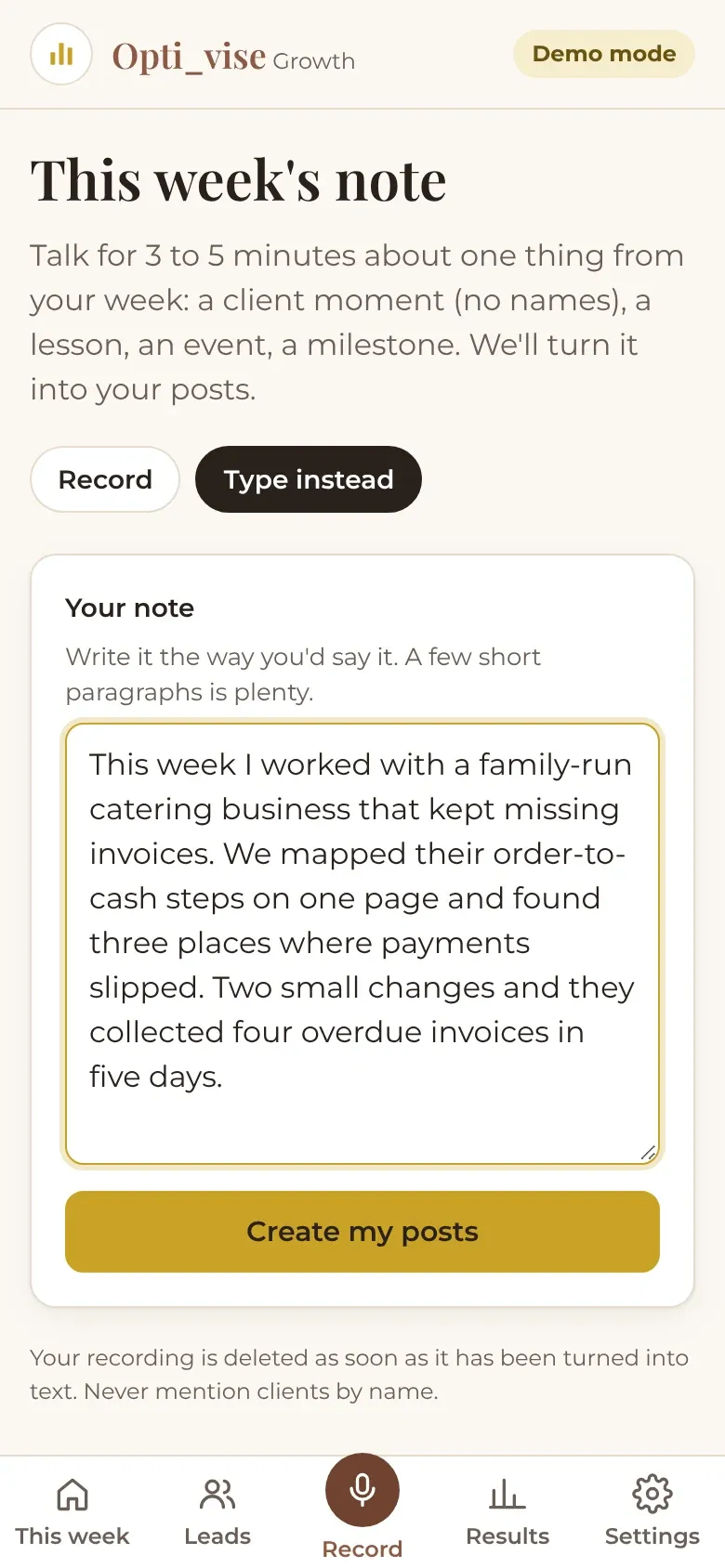
A typed weekly note about a client lesson, with a Create my posts button.
03 · Create Her words, not a template The note is the only input. Everything that follows is written from what she actually said that week.
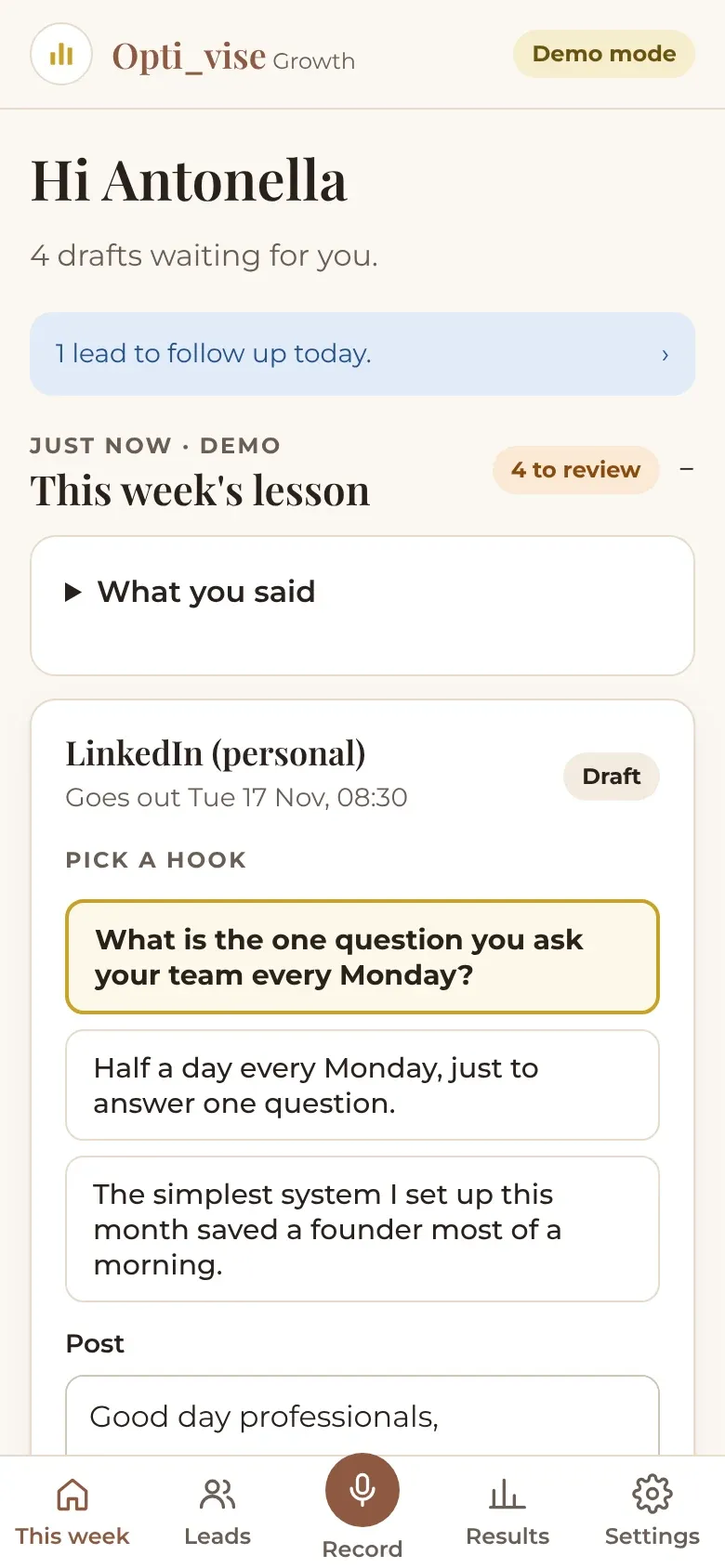
This week screen showing four drafts waiting for review.
04 · Approve & publish A week of drafts in about a minute Claude writes a LinkedIn post, a company page post, an Instagram carousel with caption, and a story, in her voice and in her brand.
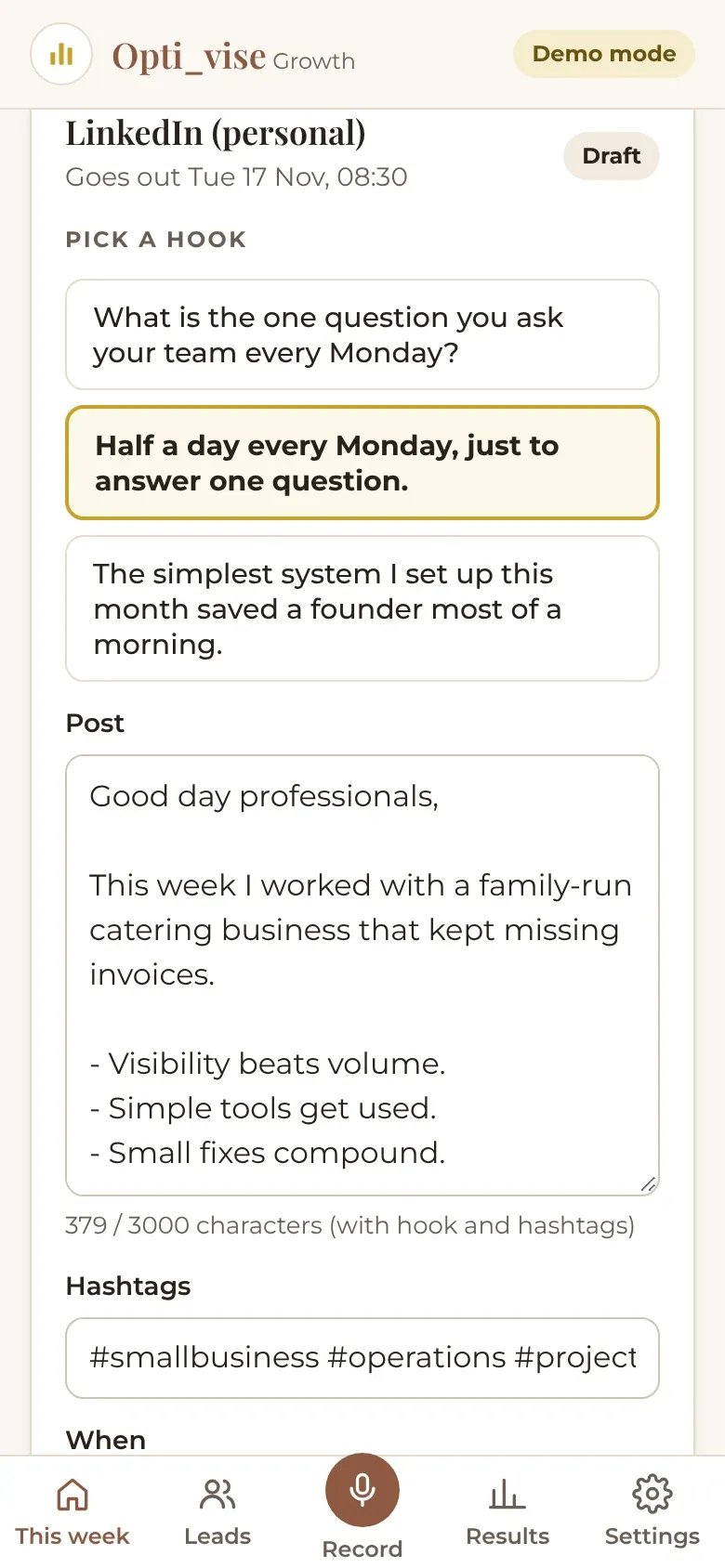
A draft with three hook options; the second option is selected.
05 · Approve & publish Pick the opening line Each LinkedIn draft comes with three opening lines. She taps the one that sounds most like her.
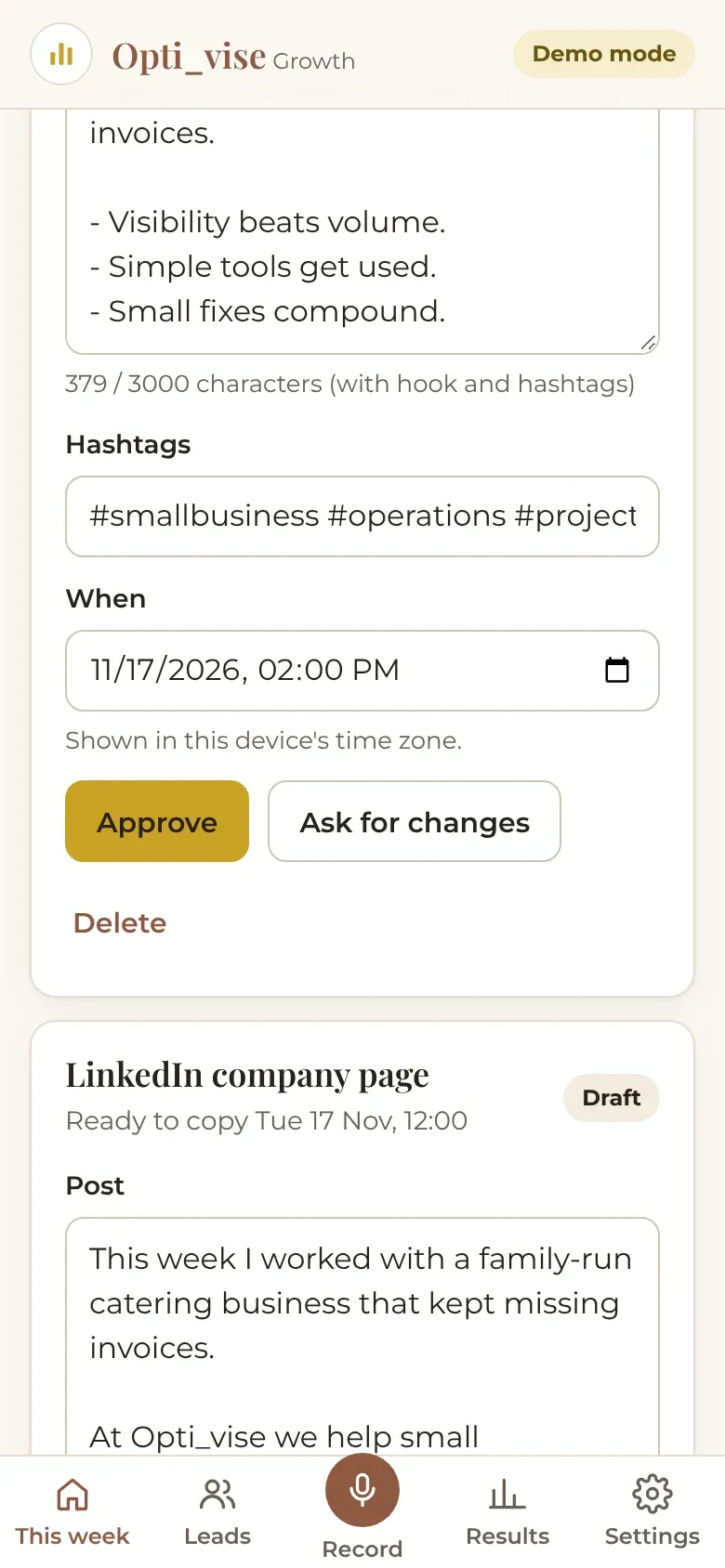
Approve and Ask for changes buttons under a draft with its scheduled time.
06 · Approve & publish Nothing goes out without her tap Approve, or ask for changes in plain words and get a revised draft. Every post needs her approval.
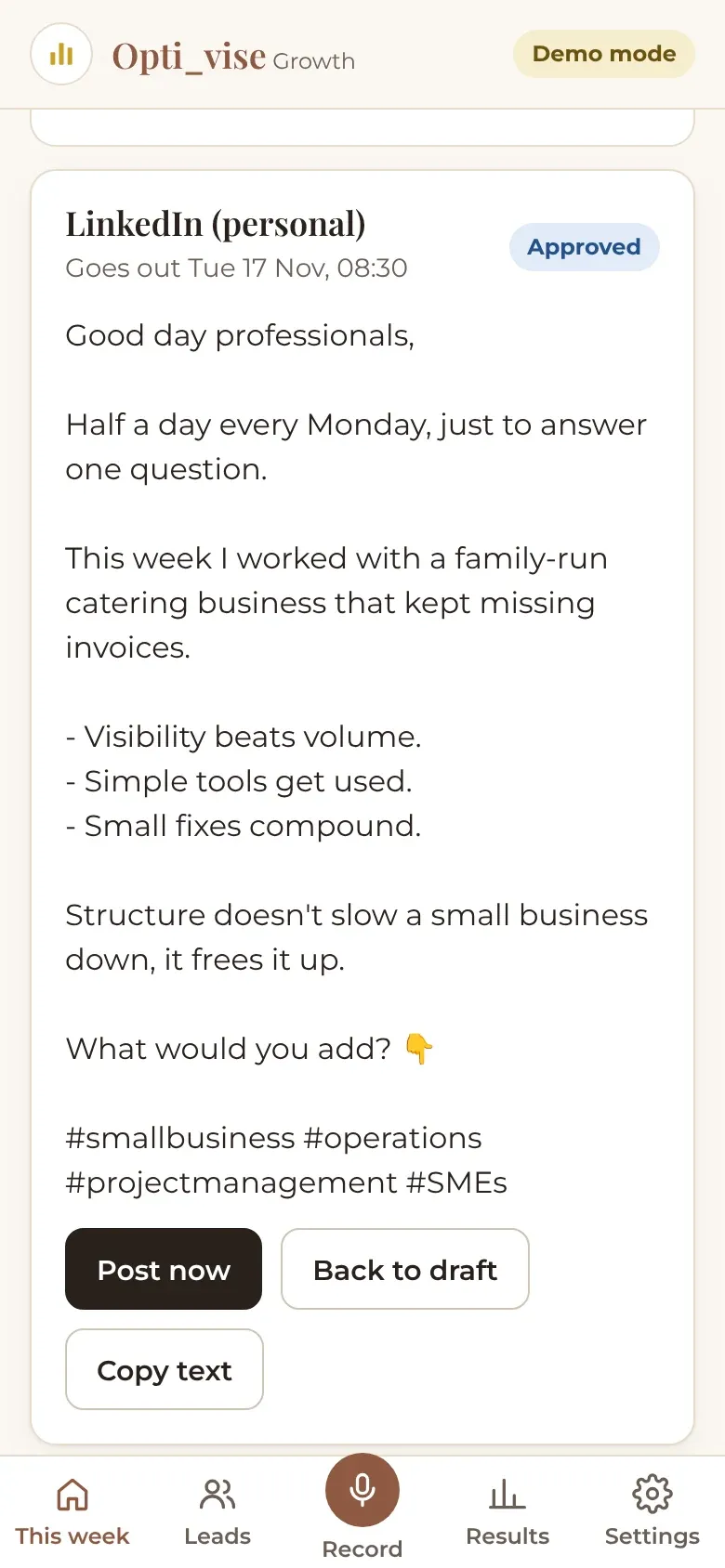
An approved LinkedIn post with its final text and scheduled time.
07 · Approve & publish Scheduled for her best times Approved posts wait for the time she chose for each channel, then publish through the official Instagram and LinkedIn APIs.
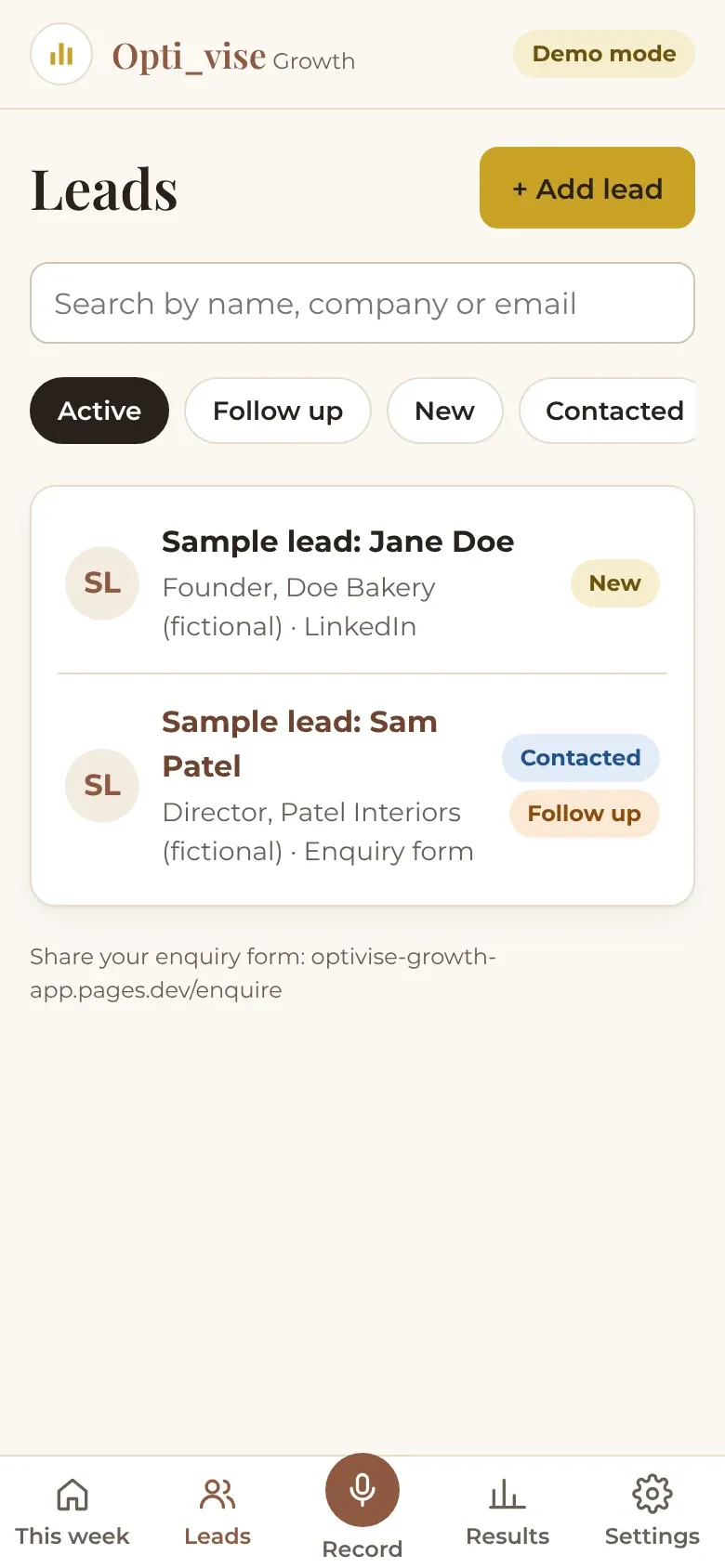
Leads list with fictional sample leads and an Add lead button.
09 · Leads Every enquiry in one list People who fill in her public enquiry form land here, next to the people she adds herself. No scraping, no bought lists.
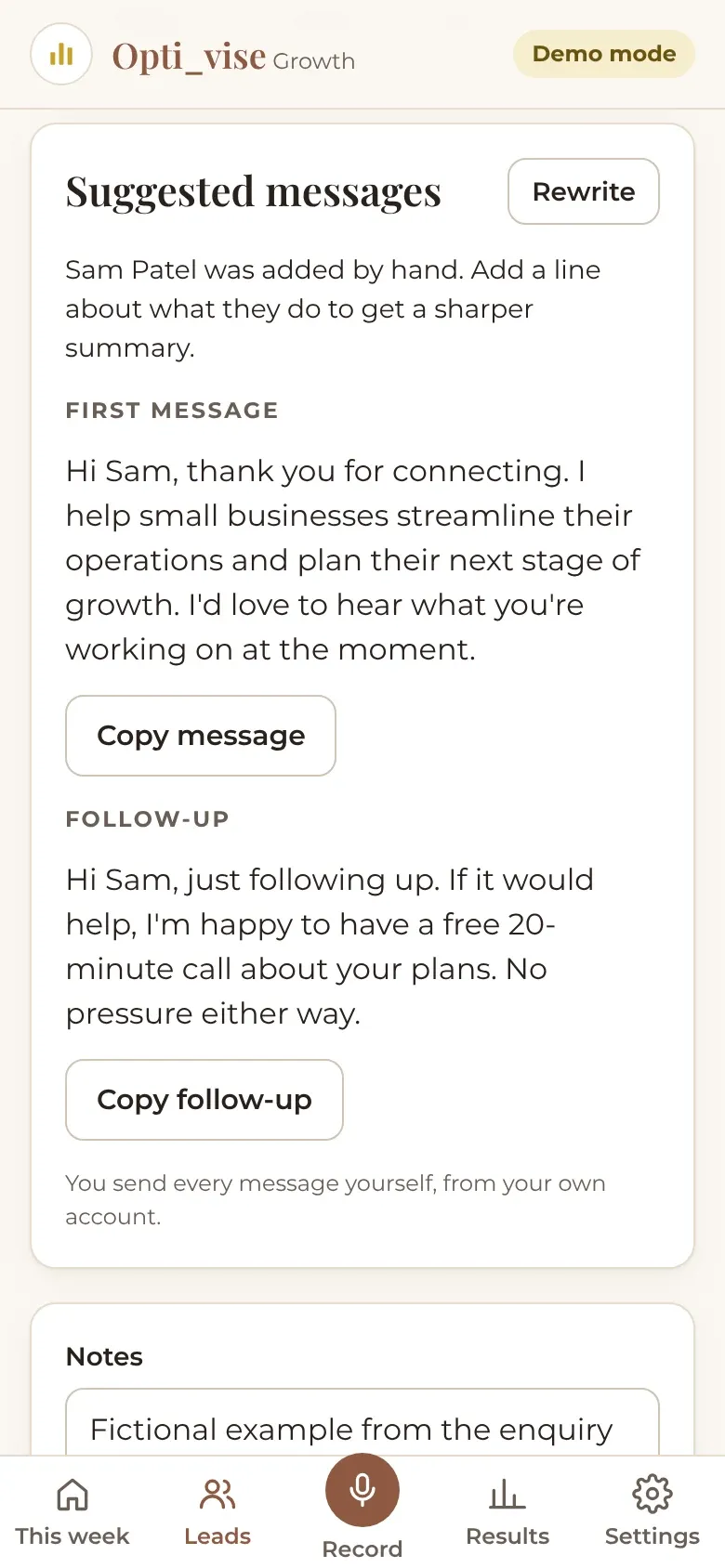
Lead detail with a suggested first message and follow-up.
10 · Leads A first message, ready to send The app suggests a first message and a follow-up. She copies it and sends it herself, from her own account.
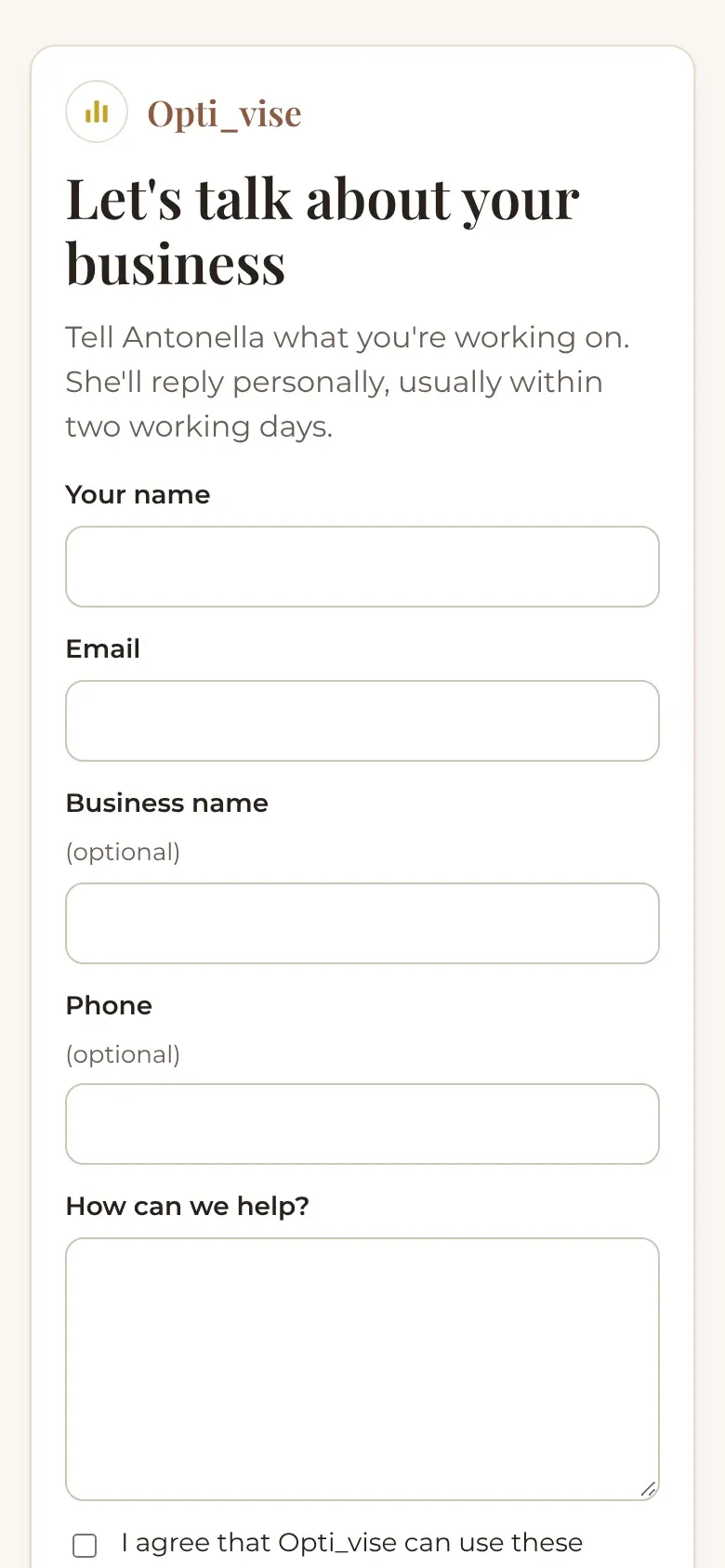
Public enquiry form titled Let’s talk about your business.
11 · Leads A public enquiry form A simple form she can share anywhere. Each enquiry becomes a lead with a suggested reply.
Results screen with counts for posts published, approval rate and leads.
12 · Measure Results counted by the app Posts published, approval rate and leads by source are counted from real activity, not estimated.
Settings showing Instagram and LinkedIn connected, and posting times per channel.
13 · Measure Official connections only Instagram and LinkedIn are connected through their own sign-in pages. The app never sees her passwords.

What we learned

  1. Control matters more than magic. Approval before anything is published was a requirement from day one, and it shaped every screen.
  2. Real schedules are messy. Our first version posted each channel on one fixed day. Her first feedback was that one day per channel didn't fit her week, so every channel now has any number of days and its own time.
  3. Meet people where their content already is. She asked to upload recordings, including WhatsApp voice notes, so uploading became as important as recording in the app.
  4. Brand details are not details. Her logo and website on every slide was a day-one request, and it made the posts feel like hers.
  5. Phones behave differently. Sharing images worked on a laptop and failed on a phone, because browsers only open the share menu directly from a tap. We rebuilt it as a two-tap flow and tested it on both.
  6. Platform approvals take longest. Meta and LinkedIn developer reviews and tester invitations took more calendar time than building the features. We now start them on day one.
  7. Agree scope in writing. New ideas kept coming, which is a good sign. Writing down what was in and out of the pilot kept it finishable, and gave the next phase a clear starting point.

What's next

Improvements we would make in a next phase, from a review of the code and real use:

  • Clearer AI errors. Tell the difference between a busy AI service, an expired key and a spending limit, show a precise message, and alert us automatically.
  • Automatic retries. If drafting fails, queue the note and retry in the background instead of asking her to try again.
  • Learning from edits. Use her approved edits as examples, so each week's drafts need fewer changes.
  • Usage and cost view. A simple monthly view of AI usage per feature, so running costs stay predictable.

Comments

What the client and readers say

Comments appear here after a quick review, usually within a day. Your email is optional and never shown.

    No comments yet. If you worked with us on this project, we'd love to hear from you.

    Leave a comment

    Want a system like this for your business?

    Tell me which part of your week takes the most time. I'm Shivam, and I'll reply personally within 1 business day.